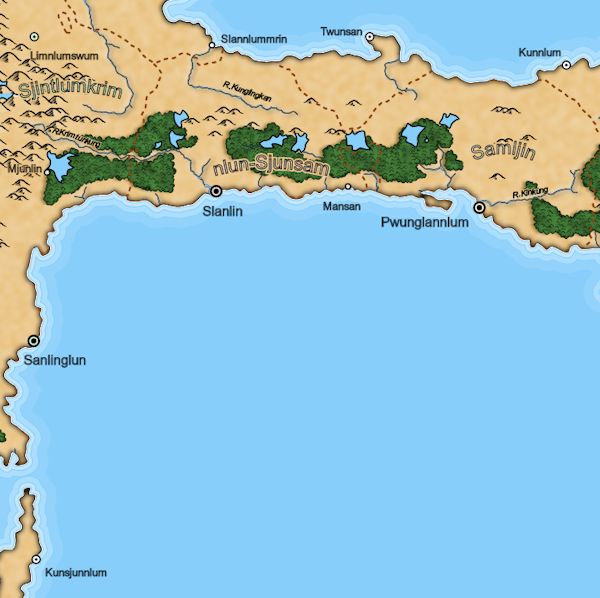
I left off last time with the path labels placed on the rivers but not yet curved to match the rivers. I also noticed a problem with the bounding boxes for my labels:
You can see that the city and river labels are positioned on the bottom of the purple bounding boxes instead of being centered. And labels that have descenders (like "Sottolkgol") stick out below the bottom of the bounding box. There problems are less obvious in the curved region labels, but they are also not centered in their bounding boxes.
I wrote previously about some bounding box problems related to using web fonts, but this problem persisted even when I switched to a built-in font, so it's not related to that problem. After some investigation, I realized that I had some confusion over the coordinates for the text item and the bounding box. There are three different coordinate systems I need to track:
The black circle represents the coordinates of where I drew the text on the screen. With left-justified text, this is the left-most point on the text baseline. The green circle represents the origin of the bounding box around the text. This is below the black circle because (1) the text has a descender that goes below the baseline, and (2) SVG seems to add some margin on the top and the bottom of text (but not on the left and right?). Finally, the red circle represents the center point of the bounding box. I use this as the location of the label.
The only way to figure out the origin (green circle) and size of the bounding box is to draw the text on the screen and use the browser to measure the text. So when I first place a label on the screen I have to measure the bounding box in order to calculate the relationship between the black, green and red circles. Fortunately this works the same for both regular text and text which has been placed on a path (which is how I created the arced region labels).
It took me way too long to wrap my head around the various coordinate systems and get the math right. (It doesn't help that the Y axis in SVG is upside-down.) It was even worse for the path labels which are rotated from horizontal. (And I had a bug in the river label code that took a day to find.)
But eventually I got all the math worked out and the correct bounding boxes for the text. Along the way I uncovered a couple of errors in the handling of the labels by the simulated annealing so I fixed those as well.
You can see that the labels are now properly within their bounding boxes and that the red circle is at the center of the bounding box. The label placement is also much better as a result.
In retrospect this seems like a bit of dumb problem, but you guys seem to like to see my mistakes as much as my successes :-).
Before I work on curving the river labels to match the river, I'll mention a couple of unique challenges in doing the river labels.
First, typically not all rivers on maps are labeled:
In this example, the "Darkmere" river is labeled in the upper left, but the small river near the center of the map and the river through the hills on the right of the map are not labeled. That's true on real maps as well, as shown in this excerpt of a map of Mississippi:
In fact, if you happen across a map where every river is labeled, it looks very odd:
I suppose that cartographers pick which rivers to label based on various factors -- the larger rivers, the longer rivers, or rivers that are important for other reasons. For Dragons Abound I'm choosing to label only the rivers that are substantially longer than the river name. "Substantially" is a matter of taste, but in practice a number in the range 1.25x to 1.75x seems to give the right proportion to my eye. (One odd thing is that the place name generator from Martin O'Leary -- which I still use -- tends to generate a lot of long names.) Given the way the drainage model works, these are also usually the biggest rivers:
You can see a number of unlabeled rivers in this example.
Another interesting aspect of river labels (and path labels in general) is that they're often repeated on long paths. Imhof also suggests repeating river labels above and below major forks, where the river name may change, as in this example from his paper:
Here the "Albula" label is repeated downriver because otherwise it would be unclear what the name of the river there was.
It turns out the map scale in Dragons Abound makes rivers long enough to require multiple labels pretty rare. At a simple level, adding multiple labels isn't terribly difficult -- I just put two labels on the river, and because the simulated annealing algorithm tries to avoid overlapping labels, they get pushed apart:
But as this example shows, just avoiding overlap doesn't lead to a pleasing arrangement of labels. A better implementation would add a criteria that tries to keep the labels farther apart. Or a more sophisticated approach would try to keep the labels on different sides of river junctions. At any rate, for the moment I'm using a single label. When I get that working well I'll look for maps with long rivers and see if it is worthwhile to implement multiple labels.
Now let me turn to the problem of curving the river labels to match the rivers. It's a little harder to find good examples of this in amateur maps, because it requires laying out text on a path, which some graphics tools don't support and is at any rate difficult to make look professional. You can see one example in how "Landwasser" is written in the Imhof example above, and here's another example from this map:
Laying out text along a path in SVG is actually straightforward; you create a piece of text as usual, and then you attach it to a path via a TextPath element.
(Blogger seems to have some problems with embedded SVG, so I used an image instead.)
You can control where the text falls along the path using the "startOffset" parameter, which works pretty much exactly how you'd imagine. So it's pretty simple to drop text on a path:
But as you can see there are some problems with that approach. The most obvious being that even though I've made some effort to select "straight" parts of the river for labeling, it still doesn't work very well. The way to fix that is to smooth out the river (or really, the path along which I am placing the label).
I have two ways to smooth out a path. One method works by dropping some of the points in the path, and the other works by average each point with it's neighbors. Both of these help, but dropping points is the most important factor -- here's an example showing the smoothed rivers in red:
This does a pretty good job of creating smooth paths, but dropping arbitrary points can sometimes lead to poor results. The "R. Kurha" river on the left edge of the map illustrates the problem -- between the label and the city of Holdal the red line is just about the inverse of the blue line.
The problem of reducing the number of points in a path while trying to keep the correct shape is called line simplification. There are a number of algorithms for doing this. I'm going to look at one called Visvalingam’s algorithm, primarily because Mike Bostock uses it on this page, and I can use his Javascript to help understand how to implement it.
If you look at Mike's page, there's a good explanation of how Visvalingam's algorithm works. To steal an illustration from his page, you can visualize the areas between successive pieces of the line as triangles:
The algorithm simplifies the line by repeatedly removing the middle point of the smallest triangles. This has the effect of creating least visible impact at each step.
It's pretty amazing how effective this algorithm is at reducing the number of points in the path while still maintaining nearly the original shape. Here's a map that compares the original rivers to rivers with 50% of the points removed:
You can see some differences in the paths, but it's pretty minimal. To get to a path that's more suitable for drawing labels, I have to remove about 85% of the points:
Averaging each point with it's neighbors also helps smooth out the paths:
These paths look fairly reasonable for laying out text, so let's try dropping in the labels:
There are still some problems here, but you can see that this is starting to look like a reasonable approach for labeling paths. I'll continue next time addressing some of the obvious (and not so obvious) problems.
Friday, June 16, 2017
Friday, June 9, 2017
Path Labels (Part Two)
In the previous post, I talked about adding path labels to Dragons Abound and described the first part of that -- the part of the simulated annealing algorithm that found new candidate positions for path labels. In this posting I'll talk about the second part, which is how to evaluate a candidate position.
For point labels -- like the name of a city -- I used the following criteria to evaluate a candidate position:
Previously, all the labels and features in Dragons Abound were horizontally aligned:
This makes detecting overlaps fairly trivial. However, path labels are not aligned horizontally:
So the simple intersection is not going to work.
Determining whether two arbitrary polygons intersect is a non-trivial problem. Certainly one I don't want to solve myself, but no need, there are plenty of implementations to choose from. I ended up using an implementation of Greiner-Horman from Alexander Milevski. I chose this implementation because it was fast, small and did what I needed, but he also has a more full-feature implementation of Martinez-Rueda polygon clipping that I can switch to if necessary. (And I might, because that supports polygon offsets, which might have some uses in map creation.)
So to implement the overlap conditions for path labels, I have to replace the simple intersection with the more complex Greiner-Horman intersection. This is pretty straightforward. Wiring it all up to work with the simulated annealing algorithm is a little more work (mostly because I decide to refactor the whole thing about halfway through), but eventually I have that portion of the evaluation working, and it produces this:
Here you can see the upper label has been moved off the river (where it overlaps with the features comprising the river).
The next step is to assess the offset distance. Initially I thought that trying to minimize the offset distance was the right idea, but it turns out that jams all the labels right up against the river. It's better to reward a label that's close but not too close -- say a half label height or so away from the river. That results in something like this:
Here I've shown two red spots where the label is anchored to the river, and you can see that the labels are about a half a label height away from those anchors. But notice that the path (river) for the upper label has a bend so that even though the anchors are properly positioned, the label almost touches the river near the "Z". That will hopefully be fixed when I curve the label to match the river.
Speaking of curves, the last criteria I want to implement is the curviness of the path, so that labels prefer to be on straight sections of the path. How do you measure curviness? I chose to use a simple metric: the ratio of the length of the path between the two red dots to the straight-line distance between the two red dots. That turns out to be sinuosity. So I'll turn that on:
You can see the upper label has shifted quite a bit upstream to get on a nearly flat part of the river. The lower label move is more subtle, but by shifting just a bit downstream it found a much flatter part of the river.
The last thing I'm going to implement in this posting is label flipping. You'll notice that the lower label in the above screen shots looks awkward because the angle puts the text upside down to the reader. The solution is to notice when this happens and flip the label end-for-end so that it reads the other direction:
You can see the label is now easier to read. Unfortunately, this reveals a couple of issues. First, the label is overlapping another river, which it shouldn't do. More subtly, the top of the bounding box is now towards the anchor point instead of the bottom. The problem is that I also flipped the bounding box when I flipped the label. If you'll forgive a crude cut & paste job, this shows the original label and the flipped label:
The original bounding box didn't intersect with anything and was a good distance from the river. What I want to do is flip the label within the bounding box:
Well, this sort of worked. The label is now a reasonable distance from the river. But for some reason it is now overlapping with the region name.
To make a long (debugging) story short, there are a number of problems here. The most relevant is that I hadn't gone back to the code for the area and point labels and updated them to check for overlaps with the path labels. So the "helchza" area label was ignoring the "R. Kurha" river label. Oops. Then to make matters worse, I had a silly error in how I was constructing the polygons for that check, so I was essentially only checking the diagonal rather than the whole polygon. Those things are easily fixed.
I also noticed a problem with the bounding boxes for rivers. To make the labels avoid overlapping the rivers, the rivers are turned into a series of fixed bounding boxes that are checked for overlap. But it turns out the bounding box for the very end of the river was missing:
This is a type of "fencepost error" where you don't handle the start or end of a sequence correctly. It's a very common error where you have to use both the "i"th element and the "i+1"th element to process the sequence. And indeed, to turn a path into a sequence of bounding boxes I operate two elements at a time. Or at least I did at one point -- a change in the path data structure made that unnecessary, but the code hadn't been updated. That was quickly fixed:
With all those fixes in place, the river label placement looks pretty good:
You can see the labels are on reasonably straight sections of river and placed out of the way of other labels and features, and "R. Kurha" has been flipped to read correctly.
It looks like I still have some problems with the bounding boxes on my labels and I still need to curve the river labels to match the rivers. Those things next time.
For point labels -- like the name of a city -- I used the following criteria to evaluate a candidate position:
- Going outside the map area.
Distance of the label from its anchor point.- Overlap between labels.
- Overlap between labels and map features.
Label placement penalty.
- Going outside the map area.
- Overlap between labels.
- Overlap between labels and map features.
- Offset distance.
- Curviness of path.
Previously, all the labels and features in Dragons Abound were horizontally aligned:
This makes detecting overlaps fairly trivial. However, path labels are not aligned horizontally:
So the simple intersection is not going to work.
Determining whether two arbitrary polygons intersect is a non-trivial problem. Certainly one I don't want to solve myself, but no need, there are plenty of implementations to choose from. I ended up using an implementation of Greiner-Horman from Alexander Milevski. I chose this implementation because it was fast, small and did what I needed, but he also has a more full-feature implementation of Martinez-Rueda polygon clipping that I can switch to if necessary. (And I might, because that supports polygon offsets, which might have some uses in map creation.)
So to implement the overlap conditions for path labels, I have to replace the simple intersection with the more complex Greiner-Horman intersection. This is pretty straightforward. Wiring it all up to work with the simulated annealing algorithm is a little more work (mostly because I decide to refactor the whole thing about halfway through), but eventually I have that portion of the evaluation working, and it produces this:
Here you can see the upper label has been moved off the river (where it overlaps with the features comprising the river).
The next step is to assess the offset distance. Initially I thought that trying to minimize the offset distance was the right idea, but it turns out that jams all the labels right up against the river. It's better to reward a label that's close but not too close -- say a half label height or so away from the river. That results in something like this:
Here I've shown two red spots where the label is anchored to the river, and you can see that the labels are about a half a label height away from those anchors. But notice that the path (river) for the upper label has a bend so that even though the anchors are properly positioned, the label almost touches the river near the "Z". That will hopefully be fixed when I curve the label to match the river.
Speaking of curves, the last criteria I want to implement is the curviness of the path, so that labels prefer to be on straight sections of the path. How do you measure curviness? I chose to use a simple metric: the ratio of the length of the path between the two red dots to the straight-line distance between the two red dots. That turns out to be sinuosity. So I'll turn that on:
You can see the upper label has shifted quite a bit upstream to get on a nearly flat part of the river. The lower label move is more subtle, but by shifting just a bit downstream it found a much flatter part of the river.
The last thing I'm going to implement in this posting is label flipping. You'll notice that the lower label in the above screen shots looks awkward because the angle puts the text upside down to the reader. The solution is to notice when this happens and flip the label end-for-end so that it reads the other direction:
You can see the label is now easier to read. Unfortunately, this reveals a couple of issues. First, the label is overlapping another river, which it shouldn't do. More subtly, the top of the bounding box is now towards the anchor point instead of the bottom. The problem is that I also flipped the bounding box when I flipped the label. If you'll forgive a crude cut & paste job, this shows the original label and the flipped label:
The original bounding box didn't intersect with anything and was a good distance from the river. What I want to do is flip the label within the bounding box:
Well, this sort of worked. The label is now a reasonable distance from the river. But for some reason it is now overlapping with the region name.
To make a long (debugging) story short, there are a number of problems here. The most relevant is that I hadn't gone back to the code for the area and point labels and updated them to check for overlaps with the path labels. So the "helchza" area label was ignoring the "R. Kurha" river label. Oops. Then to make matters worse, I had a silly error in how I was constructing the polygons for that check, so I was essentially only checking the diagonal rather than the whole polygon. Those things are easily fixed.
I also noticed a problem with the bounding boxes for rivers. To make the labels avoid overlapping the rivers, the rivers are turned into a series of fixed bounding boxes that are checked for overlap. But it turns out the bounding box for the very end of the river was missing:
This is a type of "fencepost error" where you don't handle the start or end of a sequence correctly. It's a very common error where you have to use both the "i"th element and the "i+1"th element to process the sequence. And indeed, to turn a path into a sequence of bounding boxes I operate two elements at a time. Or at least I did at one point -- a change in the path data structure made that unnecessary, but the code hadn't been updated. That was quickly fixed:
With all those fixes in place, the river label placement looks pretty good:
You can see the labels are on reasonably straight sections of river and placed out of the way of other labels and features, and "R. Kurha" has been flipped to read correctly.
It looks like I still have some problems with the bounding boxes on my labels and I still need to curve the river labels to match the rivers. Those things next time.
Friday, June 2, 2017
Path Labels (Part One)
In previous posts I've talked about how Dragons Abound places point labels and area labels. In this posting I'm going to talk about how Dragons Abound handles path labels. These are considerably more complex.
A path label is a label that is attached to a path like a river or border. Here's an example of some river labels in the current implementation:
Currently the labeling of rivers is a bit of kludge (i.e., a complete kludge) that happens separately before all the other labeling. The algorithm looks along the river for a spot long enough to accommodate the label and not too curvy. If there's a city or another river joining this river, the algorithm skips over that obstruction and starts looking again. If it eventually finds a suitable spot, it makes a copy of the river (path) where it wants to place the label, relaxes the copied path (so it's less curvy than the river) and then writes the label along that path with an offset so that it isn't directly on top of the river. Somewhere in there it also has to figure out whether to flip the label so that it doesn't end up reading left-to-right. (In the above map, you can see that "R. Geheyusckuta" has been flipped.)
Generally speaking, this works fairly well but has some drawbacks. The algorithm is conservative, so when it places a river label it usually looks okay, but it means a lot of rivers go unlabeled. And since river labels are placed before all other labels and treated as obstacles, they sometimes prevent good placement of other labels. Finally, the algorithm is specific to rivers, and doesn't work for labeling other paths. For these reasons, I'd like to build general path labels into the simulated annealing algorithm, and let them get positioned in concert with all the other labels. Much of what I have written for the existing river labels algorithm will still be applicable. The simulated annealing will find a location for the label, but the rest of displaying the label on the map will be very similar to the current algorithm. (I hope!)
To add path labels to the simulated annealing algorithm I need two elements: (1) a way to find new candidate locations, and (2) the criteria for judging how good a location would be for the label.
A candidate location for a path label starts by selecting a location on the path. Just to get the code going, I started by selecting the start of the river and anchoring the labels there.
(I've turned off the forests to make the labels more visible.) That seems to be working, so now I'll extend that to anchor the label at a random point along the length of the river, like this:
This is actually a little harder to do than you might imagine, because I have the path as a series of line segments. So picking a random point along there involves something like picking a random line segment -- weighted by the length of the segment -- and then picking a random point within the segment. Fortunately, there turns out to be an easier approach.
Since I've drawn the path, I can make use of some of the browser-provided methods for dealing with SVG paths. It turns out that the browser provides a method for measuring down the length of a path and finding the screen point at that location. So I can generate a candidate point by generating a random number between 0 and the length of the path and then using the SVG method to find the point at that distance. This point represents the start of the label. Here's what it looks like to generate random start points this way and anchor the labels there:
So now I have a method that can generate a new candidate position for the start of the label somewhere along the river. However, recall that in simulated annealing there's a "temperature" that drops as the algorithm progresses. As the temperature drops, new candidate positions should jump around less -- that is, they should progressively be restricted to being closer and closer to the current position. I accommodate this by picking points in a window around the current position, rather than randomly along the whole length of the river. As the temperature drops, I make the window smaller and smaller.
In the picture above, the labels are horizontal like the city and area labels. But for path labels, I don't want them to be horizontal, but to follow the path. To get started implementing that, I need the point on the path where the label would end if it was lying along the path. In other words, if the label has a length 'l', I now want to look along the path until I find a point that is at least 'l' distance away from the start point:
The closest this point can be (if the path in-between is a straight line) is an additional distance "l" down the path. If the path is not perfectly straight, then it's actually further along the path. In that case, I step along the path in small increments until I hit the first point that is "l" or further away from the start point.
(Mentally you may be objecting that this isn't exactly right if the label follows the path. True, but (1) it's not going to exactly follow the path, and (2) the layout is only going to approximate following the path during placement, as I'll explain below. If you weren't thinking that, then never mind.)
This is what it looks like after finding the end point and laying the label out along that line:
So far so good. (You might note that "R. Kurha" at the bottom of the map would need reversing to read left-to-right but I'm not dealing with that yet.)
One problem at this point is that the label is on top of the river. To address that, I will offset the label from the path so that it parallels the path. This is a little tricky, because the path isn't a straight line. So I calculate the normal to the line between the start and end points. This is another reason to find the end point -- it lets me approximate the normal to the path over the length of the label.
In this picture, the dotted arrow represents the normal to the path. Now I select an offset distance from the path. That becomes the corner of the label, which is aligned parallel to the path:
If I allow negative offets, that throws the label on the other side of the path.
In this case, the placement on this side is pretty poor because it overlaps the river. But during the candidate location phase I just want to find a new location, not judge whether it is good or bad.
River labels can be on either side of the river, but some kinds of path labels need to be on one side of the path or the other (border labels being an example). So when I create a path label to place, I need to note whether the offset can be positive or negative or both.
Here's what the example map looks like with some (random) path offset added in:
The long label at the top isn't much offset; the one at the bottom is more reasonable. That top label is in a bad position, but remember that this part of the algorithm is just generating candidate locations. The second part will judge how good they are, and throw out offsets that overlap the river and so on.
Again, for simulated annealing this offset needs to settle down as the temperature drops. So I make the new offset be based upon the current offset, and as the temperature drops this is made to be closer and closer to the current offset.
Speaking of overlapping the river and other problems, how will I detect those? To start with, I'm going to need the "bounding box" of the label. I put bounding box in quotes there because bounding boxes are typically aligned with the coordinate system, and in this case I actually want the bounding box aligned with the angle of the label.
To create this angled bounding box, I measure the regular bounding box when the label is horizontal, and then I rotate this through the same angle as the label. Here are the bounding boxes in purple:
There's something a little odd going on with these bounding boxes, because they're too tall. I'm not exactly sure what's causing that. It shouldn't have much impact on the algorithm, so it goes on the TODO list for later contemplation.
Incidentally, if you're wondering how long it takes me to implement this stuff, the above was all written during a DC to LA plane flight -- maybe 3.5 hours of coding altogether... I fell asleep at one point.
As I hinted at above, I'm not going to do the full-blown path-following labels during the simulated annealing. (It turns out I'm lying about this and I do eventually get to something that's pretty close to full-blown path-following, as you'll see in a later posting.) I'm going to use the angled and offset bounding boxes instead. The simulated annealing algorithm will place those boxes to determine the label placement. In the next posting, I'll discuss how the simulated annealing algorithm judges the value of a candidate label location.
A path label is a label that is attached to a path like a river or border. Here's an example of some river labels in the current implementation:
Currently the labeling of rivers is a bit of kludge (i.e., a complete kludge) that happens separately before all the other labeling. The algorithm looks along the river for a spot long enough to accommodate the label and not too curvy. If there's a city or another river joining this river, the algorithm skips over that obstruction and starts looking again. If it eventually finds a suitable spot, it makes a copy of the river (path) where it wants to place the label, relaxes the copied path (so it's less curvy than the river) and then writes the label along that path with an offset so that it isn't directly on top of the river. Somewhere in there it also has to figure out whether to flip the label so that it doesn't end up reading left-to-right. (In the above map, you can see that "R. Geheyusckuta" has been flipped.)
Generally speaking, this works fairly well but has some drawbacks. The algorithm is conservative, so when it places a river label it usually looks okay, but it means a lot of rivers go unlabeled. And since river labels are placed before all other labels and treated as obstacles, they sometimes prevent good placement of other labels. Finally, the algorithm is specific to rivers, and doesn't work for labeling other paths. For these reasons, I'd like to build general path labels into the simulated annealing algorithm, and let them get positioned in concert with all the other labels. Much of what I have written for the existing river labels algorithm will still be applicable. The simulated annealing will find a location for the label, but the rest of displaying the label on the map will be very similar to the current algorithm. (I hope!)
To add path labels to the simulated annealing algorithm I need two elements: (1) a way to find new candidate locations, and (2) the criteria for judging how good a location would be for the label.
A candidate location for a path label starts by selecting a location on the path. Just to get the code going, I started by selecting the start of the river and anchoring the labels there.
(I've turned off the forests to make the labels more visible.) That seems to be working, so now I'll extend that to anchor the label at a random point along the length of the river, like this:
Since I've drawn the path, I can make use of some of the browser-provided methods for dealing with SVG paths. It turns out that the browser provides a method for measuring down the length of a path and finding the screen point at that location. So I can generate a candidate point by generating a random number between 0 and the length of the path and then using the SVG method to find the point at that distance. This point represents the start of the label. Here's what it looks like to generate random start points this way and anchor the labels there:
So now I have a method that can generate a new candidate position for the start of the label somewhere along the river. However, recall that in simulated annealing there's a "temperature" that drops as the algorithm progresses. As the temperature drops, new candidate positions should jump around less -- that is, they should progressively be restricted to being closer and closer to the current position. I accommodate this by picking points in a window around the current position, rather than randomly along the whole length of the river. As the temperature drops, I make the window smaller and smaller.
In the picture above, the labels are horizontal like the city and area labels. But for path labels, I don't want them to be horizontal, but to follow the path. To get started implementing that, I need the point on the path where the label would end if it was lying along the path. In other words, if the label has a length 'l', I now want to look along the path until I find a point that is at least 'l' distance away from the start point:
(Mentally you may be objecting that this isn't exactly right if the label follows the path. True, but (1) it's not going to exactly follow the path, and (2) the layout is only going to approximate following the path during placement, as I'll explain below. If you weren't thinking that, then never mind.)
This is what it looks like after finding the end point and laying the label out along that line:
So far so good. (You might note that "R. Kurha" at the bottom of the map would need reversing to read left-to-right but I'm not dealing with that yet.)
One problem at this point is that the label is on top of the river. To address that, I will offset the label from the path so that it parallels the path. This is a little tricky, because the path isn't a straight line. So I calculate the normal to the line between the start and end points. This is another reason to find the end point -- it lets me approximate the normal to the path over the length of the label.
If I allow negative offets, that throws the label on the other side of the path.
In this case, the placement on this side is pretty poor because it overlaps the river. But during the candidate location phase I just want to find a new location, not judge whether it is good or bad.
River labels can be on either side of the river, but some kinds of path labels need to be on one side of the path or the other (border labels being an example). So when I create a path label to place, I need to note whether the offset can be positive or negative or both.
Here's what the example map looks like with some (random) path offset added in:
The long label at the top isn't much offset; the one at the bottom is more reasonable. That top label is in a bad position, but remember that this part of the algorithm is just generating candidate locations. The second part will judge how good they are, and throw out offsets that overlap the river and so on.
Again, for simulated annealing this offset needs to settle down as the temperature drops. So I make the new offset be based upon the current offset, and as the temperature drops this is made to be closer and closer to the current offset.
Speaking of overlapping the river and other problems, how will I detect those? To start with, I'm going to need the "bounding box" of the label. I put bounding box in quotes there because bounding boxes are typically aligned with the coordinate system, and in this case I actually want the bounding box aligned with the angle of the label.
To create this angled bounding box, I measure the regular bounding box when the label is horizontal, and then I rotate this through the same angle as the label. Here are the bounding boxes in purple:
There's something a little odd going on with these bounding boxes, because they're too tall. I'm not exactly sure what's causing that. It shouldn't have much impact on the algorithm, so it goes on the TODO list for later contemplation.
Incidentally, if you're wondering how long it takes me to implement this stuff, the above was all written during a DC to LA plane flight -- maybe 3.5 hours of coding altogether... I fell asleep at one point.
As I hinted at above, I'm not going to do the full-blown path-following labels during the simulated annealing. (It turns out I'm lying about this and I do eventually get to something that's pretty close to full-blown path-following, as you'll see in a later posting.) I'm going to use the angled and offset bounding boxes instead. The simulated annealing algorithm will place those boxes to determine the label placement. In the next posting, I'll discuss how the simulated annealing algorithm judges the value of a candidate label location.
Friday, May 26, 2017
Area Labels
The city labels in Dragons Abound are point labels -- they label a particular point on the map. For point labels I defined the following factors to optimize (in rough order of importance):
So far, I've treated region labels as point labels. I calculate the centroid of a region, and I make that the anchor point for the region label. In the map below, I've marked these anchor points in red:
You can see that this doesn't always work out very well. The anchor points for Tigpolbo and Hestigbo both end up in rather awkward places. The Tigpolbo label ends up crammed into a busy area just to be close to the anchor point.
The problem is that these are area labels, so tying them to an artificial point doesn't always work well. When I was using a force layout algorithm, I addressed this by spending a lot of effort trying to find a good anchor point within the region. With simulated annealing, it makes more sense to drop the notion of an anchor point for these sorts of labels and instead just try to keep them within the area they are labeling:
Ideally, I don't want any part of an area label to go outside of the area, but that's fairly hard to compute (especially if the label is curved). But as a simple approximation, I can try penalizing an area label if the center of the label is outside of the area. Using this factor, the above map now looks like this:
You can see that the Tigpolbo label has moved to a much better location.
This simple approach works pretty well for regional labels because it turns out that if the center of a label is in the areas, but some other part of the label goes outside the area, the label incurs a different penalty for crossing a coast or a border. This seems to be enough to keep labels from being half-in and half-out on most maps.
It's also worthwhile to consider new ways to pick candidate locations for area labels. For point labels, new candidate locations are generated by displacing the current location, or rotating the current location around the anchor point. This makes sense because the point label wants to be near the anchor point. Random displacement works for area labels (that's what was used in the maps above) but -- since there's no need to stay near an anchor point -- it might also make sense to have also have the ability to try random points within the label's area.
To test this out, I set up area labels so that when the temperature is high, it tries random locations within the area. As the temperature gets lower, it switches over to small displacements. The idea here is to try a bunch of random locations within the area while the temperature is high and settle on the best candidate, and then to tweak that candidate around in small ways to look for minor improvements as the temperature cools off.
One challenge with doing this is finding uniform random locations within an area. That's not a straightforward problem. There are basically two solutions. The most rigorously correct solution is to divide the area (polygon) up into triangles, and then select a random triangle (based upon the area of the triangles) and then find a random point in the triangle (a known solution exists for this problem). That sounds like a lot of work. The less elegant solution is to find the bounding box for the polygon, generate a random location within the bounding box, and then test to see if that's also within the polygon. The disadvantage of this solution is that it may take multiple tries (and consequently more computing time) to hit on a point that's within the polygon, particularly if the polygon has a bad shape so that it's only a small percentage of its bounding box. However, this version is at least very easy to program.
The regions in Dragons Abound tend to be compact, which means that they'll generally work pretty well with the bounding box algorithm. Here's an example of a region, it's bounding box and candidate random locations (green inside the region and red outside):
So that looks like it will work well enough for my purposes. Here's the complete area labels implementation placing the region labels on a rather challenging map where the regions are small, strangely shaped and crowded. (The random points illustration above is the "Sjintlumkrim" country on the map below.)
As you can see it does a pretty good job of finding reasonable placements even in some fairly difficult situations.
(Addendum: /u/redblobgames recently pointed me towards a small Javascript library from MapBox for finding the visual center of a polygon. This is intended to be a good position for an area label, so I modified Dragons Abound to use this as the starting point for area labels. In many cases this doesn't make much difference -- simulated annealing tends to settle on the same-ish solution regardless of the starting point -- but for some regions it's helpful to start in a good position.)
- Going outside the map area.
- Distance of the label from its anchor point.
- Overlap between labels.
- Overlap between labels and map features.
- Label placement penalty.
So far, I've treated region labels as point labels. I calculate the centroid of a region, and I make that the anchor point for the region label. In the map below, I've marked these anchor points in red:
You can see that this doesn't always work out very well. The anchor points for Tigpolbo and Hestigbo both end up in rather awkward places. The Tigpolbo label ends up crammed into a busy area just to be close to the anchor point.
The problem is that these are area labels, so tying them to an artificial point doesn't always work well. When I was using a force layout algorithm, I addressed this by spending a lot of effort trying to find a good anchor point within the region. With simulated annealing, it makes more sense to drop the notion of an anchor point for these sorts of labels and instead just try to keep them within the area they are labeling:
- Going outside the map area.
Distance of the label from its anchor point.- Going outside the label area.
- Overlap between labels.
- Overlap between labels and map features.
- Label placement penalty.
Ideally, I don't want any part of an area label to go outside of the area, but that's fairly hard to compute (especially if the label is curved). But as a simple approximation, I can try penalizing an area label if the center of the label is outside of the area. Using this factor, the above map now looks like this:
You can see that the Tigpolbo label has moved to a much better location.
This simple approach works pretty well for regional labels because it turns out that if the center of a label is in the areas, but some other part of the label goes outside the area, the label incurs a different penalty for crossing a coast or a border. This seems to be enough to keep labels from being half-in and half-out on most maps.
It's also worthwhile to consider new ways to pick candidate locations for area labels. For point labels, new candidate locations are generated by displacing the current location, or rotating the current location around the anchor point. This makes sense because the point label wants to be near the anchor point. Random displacement works for area labels (that's what was used in the maps above) but -- since there's no need to stay near an anchor point -- it might also make sense to have also have the ability to try random points within the label's area.
To test this out, I set up area labels so that when the temperature is high, it tries random locations within the area. As the temperature gets lower, it switches over to small displacements. The idea here is to try a bunch of random locations within the area while the temperature is high and settle on the best candidate, and then to tweak that candidate around in small ways to look for minor improvements as the temperature cools off.
One challenge with doing this is finding uniform random locations within an area. That's not a straightforward problem. There are basically two solutions. The most rigorously correct solution is to divide the area (polygon) up into triangles, and then select a random triangle (based upon the area of the triangles) and then find a random point in the triangle (a known solution exists for this problem). That sounds like a lot of work. The less elegant solution is to find the bounding box for the polygon, generate a random location within the bounding box, and then test to see if that's also within the polygon. The disadvantage of this solution is that it may take multiple tries (and consequently more computing time) to hit on a point that's within the polygon, particularly if the polygon has a bad shape so that it's only a small percentage of its bounding box. However, this version is at least very easy to program.
The regions in Dragons Abound tend to be compact, which means that they'll generally work pretty well with the bounding box algorithm. Here's an example of a region, it's bounding box and candidate random locations (green inside the region and red outside):
So that looks like it will work well enough for my purposes. Here's the complete area labels implementation placing the region labels on a rather challenging map where the regions are small, strangely shaped and crowded. (The random points illustration above is the "Sjintlumkrim" country on the map below.)
As you can see it does a pretty good job of finding reasonable placements even in some fairly difficult situations.
(Addendum: /u/redblobgames recently pointed me towards a small Javascript library from MapBox for finding the visual center of a polygon. This is intended to be a good position for an area label, so I modified Dragons Abound to use this as the starting point for area labels. In many cases this doesn't make much difference -- simulated annealing tends to settle on the same-ish solution regardless of the starting point -- but for some regions it's helpful to start in a good position.)
Wednesday, May 17, 2017
Some Initial Optimizations for Label Placement
In the previous posting, I described the basic simulated annealing algorithm that Dragons Abound uses to place map labels. In this post I'll describe some improvements and optimizations I've made to the algorithm.
One problem with the naive implementation (as found here) is that it doesn't necessarily return the best result it found. In simulated annealing, every time a change is contemplated there's a chance it will be accepted, even if the change makes the overall score worse. This is how simulated annealing can find it's way out of local minima. But when the algorithm is near the best answer, almost every move it makes will make things worse if accepted. So it's almost certain that if you run simulated annealing for a fixed number of steps, you're going to end up with a solution that is worse than the best one the algorithm found.
The solution to this is to save the best solution found and return that when the algorithm ends. A problem arises if it is difficult or expensive to save a solution. Since the algorithm is likely to encounter many "best" solutions during the search, it will have to save new best solutions many times. If this is expensive, it may add significant time to the search. Fortunately, for my problem saving the best solution is fairly trivial, so this is a worthwhile optimization to implement.
It's fairly powerful, too. On my test maps, the best solution is about 20% better than the ending solution (!).
An extension of this idea is to send the algorithm back to the best solution every time the "temperature" of the simulated annealing changes. Changing the temperature basically restarts the algorithm with a different search parameters. So it makes some sense to restart the search at the best solution found so far, rather than wherever the algorithm happened to be at the moment.
However, in testing this doesn't improve the results. In most cases, it makes them worse! I suspect the reason is that this tends to increase the chance the algorithm will get caught in a local minima, by repeatedly sending it back to the best minima found so far.
Another optimization has to do with how the algorithm selects which label to change at each step. The initial implementation makes a full pass through all the labels at every iteration. For each label, the algorithm contemplates a possible change. The drawback of this approach is that it may spend a lot of time trying to improve labels that are already very good. For example, consider this map:
Most of these labels are in places where they won't overlap with other labels and only have the coast and perhaps a river to avoid. Simulated annealing finds pretty good solutions for these labels very quickly. At that point most proposed moves for these labels only make the map worse. It's more productive if the algorithm focuses instead on trying to find better spots for labels that have the worst scores. However, I don't want the algorithm to completely ignore the labels with good scores, because there's always a chance that it can find an even better score, or that a label with a good score needs to move to make room for a label with a bad score.
My solution was to weight the chance of selecting a label for a change by its score. So a label with a high score has a high chance to be selected for a change, while a label with a low score has a low chance of being selected. As labels are improved, their chances for further changes go down, so the algorithm keeps shifting its attention to the current worst labels.
For my test maps, this is also a very effective improvement with (again) about a 20% improvement over the previous best solutions. At this point the algorithm is doing a very good job placing labels on most maps:
Notice how close the city labels are to their cities, without overlapping any map features. (Right now simulated annealing is only placing the city labels. The region labels are a different problem that I'll address in a future posting.)
A different sort of optimization is to make the algorithm more efficient. One of the slowest parts of the algorithm is checking to see if a label intersects with a map feature. Finding the intersections between labels is not a big problem because there are only a few labels. But there are many map features (1712 in the map above) so checking a label against all the map features is a big effort. It would be more efficient if I could check against just the nearby features.
As it turns out, there's a good way to do that: store the map features in a quadtree. A quadtree is a kind of data structure that stores two-dimensional data in a way that makes it fast to retrieve points near a location. And even better, d3 provides a quadtree implementation that I can use. But there are a couple of problems to overcome.
First, the d3 implementation doesn't provide a function for finding all the points near a point. That would have been handy, but with a little thought it's possible to figure out how to implement a function to retrieve objects near a point using d3.quadtree.visit. Since the labels are rectangular, I can search for objects within that rectangle.
Note that this doesn't guarantee that all the points returned are within the rectangle, because it returns all the points in nodes that overlap with the rectangle. That overlap isn't necessarily complete, so there may be some points in the node that lie outside the overlap. I could check to make sure the points are within the rectangle before adding them to the results, but it turns out in my case (as I'll explain below) including some nearby points is actually fine.
The second problem is that this doesn't quite work for finding labels that overlap features. I'm indexing features in the quadtree by the center of the feature. This function will find features whose centers lie within the label, but it won't necessarily find features whose centers lie outside the label, but still overlap the label. (This is why getting nearby points isn't bad; I need to check them anyway.) Completely fixing this is complicated, but on a practical level it works fine to keep track of the size of the features as you add them to the tree and then pad the search by the dimensions of the biggest feature. This padding can pick up features that don't overlap the label, which makes the algorithm a little less efficient, but it's not a big impact.
In fact, it turns out this is quite an improvement: It saves about 90% of the time spent in calculating label scores (!). This makes it feasible to do a lot of iterations, but it turns out that there isn't much improvement beyond about 2500 iterations per label -- at least with the algorithm as it works right now.
One problem with the naive implementation (as found here) is that it doesn't necessarily return the best result it found. In simulated annealing, every time a change is contemplated there's a chance it will be accepted, even if the change makes the overall score worse. This is how simulated annealing can find it's way out of local minima. But when the algorithm is near the best answer, almost every move it makes will make things worse if accepted. So it's almost certain that if you run simulated annealing for a fixed number of steps, you're going to end up with a solution that is worse than the best one the algorithm found.
The solution to this is to save the best solution found and return that when the algorithm ends. A problem arises if it is difficult or expensive to save a solution. Since the algorithm is likely to encounter many "best" solutions during the search, it will have to save new best solutions many times. If this is expensive, it may add significant time to the search. Fortunately, for my problem saving the best solution is fairly trivial, so this is a worthwhile optimization to implement.
It's fairly powerful, too. On my test maps, the best solution is about 20% better than the ending solution (!).
An extension of this idea is to send the algorithm back to the best solution every time the "temperature" of the simulated annealing changes. Changing the temperature basically restarts the algorithm with a different search parameters. So it makes some sense to restart the search at the best solution found so far, rather than wherever the algorithm happened to be at the moment.
However, in testing this doesn't improve the results. In most cases, it makes them worse! I suspect the reason is that this tends to increase the chance the algorithm will get caught in a local minima, by repeatedly sending it back to the best minima found so far.
Another optimization has to do with how the algorithm selects which label to change at each step. The initial implementation makes a full pass through all the labels at every iteration. For each label, the algorithm contemplates a possible change. The drawback of this approach is that it may spend a lot of time trying to improve labels that are already very good. For example, consider this map:
Most of these labels are in places where they won't overlap with other labels and only have the coast and perhaps a river to avoid. Simulated annealing finds pretty good solutions for these labels very quickly. At that point most proposed moves for these labels only make the map worse. It's more productive if the algorithm focuses instead on trying to find better spots for labels that have the worst scores. However, I don't want the algorithm to completely ignore the labels with good scores, because there's always a chance that it can find an even better score, or that a label with a good score needs to move to make room for a label with a bad score.
My solution was to weight the chance of selecting a label for a change by its score. So a label with a high score has a high chance to be selected for a change, while a label with a low score has a low chance of being selected. As labels are improved, their chances for further changes go down, so the algorithm keeps shifting its attention to the current worst labels.
For my test maps, this is also a very effective improvement with (again) about a 20% improvement over the previous best solutions. At this point the algorithm is doing a very good job placing labels on most maps:
Notice how close the city labels are to their cities, without overlapping any map features. (Right now simulated annealing is only placing the city labels. The region labels are a different problem that I'll address in a future posting.)
A different sort of optimization is to make the algorithm more efficient. One of the slowest parts of the algorithm is checking to see if a label intersects with a map feature. Finding the intersections between labels is not a big problem because there are only a few labels. But there are many map features (1712 in the map above) so checking a label against all the map features is a big effort. It would be more efficient if I could check against just the nearby features.
As it turns out, there's a good way to do that: store the map features in a quadtree. A quadtree is a kind of data structure that stores two-dimensional data in a way that makes it fast to retrieve points near a location. And even better, d3 provides a quadtree implementation that I can use. But there are a couple of problems to overcome.
First, the d3 implementation doesn't provide a function for finding all the points near a point. That would have been handy, but with a little thought it's possible to figure out how to implement a function to retrieve objects near a point using d3.quadtree.visit. Since the labels are rectangular, I can search for objects within that rectangle.
// Find all points in quadtree that are (possibly) within a rectangle function qtWithinRect(quadtree, rect) { var results = []; quadtree.visit(function(node, x0, y0, x1, y1) { // Does this node overlap with our rectangle?let x_overlap = Math.max(0, Math.min(rect[1][0],x1) - Math.max(rect[0][0],x0));let y_overlap = Math.max(0, Math.min(rect[1][1],y1) - Math.max(rect[0][1],y0));let overlaps = (x_overlap > 0) && (y_overlap > 0);// If this is a leaf, add it's nodes to resultsif (!node.length) {do {results.push(node.data);} while (node = node.next);}return !overlaps; });return results; };
Note that this doesn't guarantee that all the points returned are within the rectangle, because it returns all the points in nodes that overlap with the rectangle. That overlap isn't necessarily complete, so there may be some points in the node that lie outside the overlap. I could check to make sure the points are within the rectangle before adding them to the results, but it turns out in my case (as I'll explain below) including some nearby points is actually fine.
The second problem is that this doesn't quite work for finding labels that overlap features. I'm indexing features in the quadtree by the center of the feature. This function will find features whose centers lie within the label, but it won't necessarily find features whose centers lie outside the label, but still overlap the label. (This is why getting nearby points isn't bad; I need to check them anyway.) Completely fixing this is complicated, but on a practical level it works fine to keep track of the size of the features as you add them to the tree and then pad the search by the dimensions of the biggest feature. This padding can pick up features that don't overlap the label, which makes the algorithm a little less efficient, but it's not a big impact.
In fact, it turns out this is quite an improvement: It saves about 90% of the time spent in calculating label scores (!). This makes it feasible to do a lot of iterations, but it turns out that there isn't much improvement beyond about 2500 iterations per label -- at least with the algorithm as it works right now.
Monday, May 8, 2017
Simulated Annealing
In the last post, I described Dragons Abound's force layout algorithm for placing labels on the map. That approach has a significant drawback: it often gets labels stuck in bad places with no way to recover. In computing terms, this is called a local minima and various approaches have been devised to help algorithms avoid these traps.
One approach is called simulated annealing. Simulated annealing is a method for searching a solution space for the best solution. Imagine that we're searching for the lowest spot on this line:
There are a lot of "low spots" on that line where we could look to either side and figure that we were at the lowest possible spot. These are the "local minima". To keep from getting trapped in these spots, simulated annealing starts out with a high "temperature". This temperature corresponds to how far away from the current point we can look for a better solution. So when the temperature is high, the next point we look at can jump over nearby peaks to land on the far side, even if it where it lands is worse than where it started. As the annealing process continues, this temperature is slowly lowered, so that the search settles into the best solution.
Here's an initial look at placing labels using simulated annealing:
In this case, I'm only placing city labels and the only map feature they're trying to avoid are the city symbols themselves. The red box shows the initial placement of the labels and the purple box shows the placement after a thousand iterations of simulated annealing. Green boxes show map features that the labels are trying to avoid. As you can see, all the labels in this map ended up in the prime label position to the upper right of the their anchor points. All they had to do was avoid overlapping the city symbols, and annealing found good solutions for every city.
It's fairly easy to figure out when two axis-aligned rectangles are overlapping. It's much harder to tell when two arbitrary polygons are overlapping. So to make things easy, Dragons Abound treats all the map features that have to be avoided as rectangles (this will soon change :-). That's why cities in the previous map have green rectangles instead of green circles. (Actually, circular overlap is pretty easy to compute also, but it simplifies the code to treat everything as a rectangle.) A number of these labels on the previous map overlap the coasts, so let's add the coast as map features to avoid. The coast is a long wiggly line. It is turned into rectangles by breaking it up into line segments and drawing a bounding box around each segment:
You can see the green bounding boxes along the coast to indicate that those boxes are now being avoided. As a result a number of the labels have moved around. In the middle bottom of the map, you can see that the label for "Kyup Lyak" (which was called "Katemsin Wip" in the previous map) has moved to the lower-right of the city to avoid overlapping the coast to the upper-right of the city. The label of "Lynkryun" has a more difficult time avoiding the coast and ends up in a more undesirable spot to the upper-left of the city.
Adding the rest of the map features to avoid and labels to be placed is just more of the same. Here's an excerpt of the same map with everything included:
You can see how labels are close to their symbols and don't cross any map features. (Forests and mountains are ignored.) In particular here you can see that 'Wukyip' doesn't get stuck down below the city symbol as it did with the force-layout version.
It's also worth noting that the simulated annealing approach is much faster. The total run time for the above map with force layout was 335 seconds; with simulated annealing it was 185 seconds.
When I implement a new feature, I like to try out a bunch of different maps and see if there are problems to be addressed. Here's an example of a problem I found doing this:
In the upper-middle part of the map you can see where two labels run into each other. Interestingly, these labels don't overlap -- the simulated annealing managed to find positions where they're exactly adjacent to each other. While they don't technically overlap, this is still a visual problem.
I solved this by adding a little padding to the end of the labels, so that even if two labels end up in this position, they'll have a visual break between them. In the case of this map, the additional margin pushes one of the labels down into the ocean.
Another problem I ran into was that large labels (particularly the region labels) would sometimes wander so far off the map that they could never get back. The reason this happened was that the distance a label can move in each iteration of the simulated annealing is based on its size. Really large labels (and I'm still using Martin O'Leary's language generator, which occasionally comes up with very long names) could move quite a ways when the simulated annealing temperature was hot -- too far to get back as the temperature cooled down. The solution to this was just to cap the maximum move for any label to a value that couldn't take it so far off the screen that it couldn't recover.
Next time, I'll look at some optimizations to the basic algorithm.
One approach is called simulated annealing. Simulated annealing is a method for searching a solution space for the best solution. Imagine that we're searching for the lowest spot on this line:
There are a lot of "low spots" on that line where we could look to either side and figure that we were at the lowest possible spot. These are the "local minima". To keep from getting trapped in these spots, simulated annealing starts out with a high "temperature". This temperature corresponds to how far away from the current point we can look for a better solution. So when the temperature is high, the next point we look at can jump over nearby peaks to land on the far side, even if it where it lands is worse than where it started. As the annealing process continues, this temperature is slowly lowered, so that the search settles into the best solution.
(These illustrations are borrowed from this paper.)
Simulated annealing isn't guaranteed to find the best solution, but it does a better job of getting out of local minima than algorithms like force layout. For that reason, it is a popular approach to label placement.
d3js doesn't have a simulated annealing component built in (as it does with force layout) but Evan Wang from UCB has written a simulated annealing plug-in for d3js. To be honest, the plug-in isn't very good. It doesn't handle a lot of the cases that Dragons Abound requires, and in places the code is either wrong, doesn't work, or doesn't fit with my existing code. So I have to rewrite most of it. But even so, having a code example is very helpful for understanding the algorithm and makes it much easier to build a working solution.
Simulated annealing is driven by the "energy function", which defines what the system is trying to minimize. For city labels, I've defined the energy function to try to minimize the following things (in rough order of importance):
- Going outside the map area.
- Distance of the label from its anchor point.
- Overlap between labels.
- Overlap between labels and map features.
- Label placement penalty.
Here's an initial look at placing labels using simulated annealing:
In this case, I'm only placing city labels and the only map feature they're trying to avoid are the city symbols themselves. The red box shows the initial placement of the labels and the purple box shows the placement after a thousand iterations of simulated annealing. Green boxes show map features that the labels are trying to avoid. As you can see, all the labels in this map ended up in the prime label position to the upper right of the their anchor points. All they had to do was avoid overlapping the city symbols, and annealing found good solutions for every city.
It's fairly easy to figure out when two axis-aligned rectangles are overlapping. It's much harder to tell when two arbitrary polygons are overlapping. So to make things easy, Dragons Abound treats all the map features that have to be avoided as rectangles (this will soon change :-). That's why cities in the previous map have green rectangles instead of green circles. (Actually, circular overlap is pretty easy to compute also, but it simplifies the code to treat everything as a rectangle.) A number of these labels on the previous map overlap the coasts, so let's add the coast as map features to avoid. The coast is a long wiggly line. It is turned into rectangles by breaking it up into line segments and drawing a bounding box around each segment:
Adding the rest of the map features to avoid and labels to be placed is just more of the same. Here's an excerpt of the same map with everything included:
You can see how labels are close to their symbols and don't cross any map features. (Forests and mountains are ignored.) In particular here you can see that 'Wukyip' doesn't get stuck down below the city symbol as it did with the force-layout version.
It's also worth noting that the simulated annealing approach is much faster. The total run time for the above map with force layout was 335 seconds; with simulated annealing it was 185 seconds.
When I implement a new feature, I like to try out a bunch of different maps and see if there are problems to be addressed. Here's an example of a problem I found doing this:
In the upper-middle part of the map you can see where two labels run into each other. Interestingly, these labels don't overlap -- the simulated annealing managed to find positions where they're exactly adjacent to each other. While they don't technically overlap, this is still a visual problem.
I solved this by adding a little padding to the end of the labels, so that even if two labels end up in this position, they'll have a visual break between them. In the case of this map, the additional margin pushes one of the labels down into the ocean.
Another problem I ran into was that large labels (particularly the region labels) would sometimes wander so far off the map that they could never get back. The reason this happened was that the distance a label can move in each iteration of the simulated annealing is based on its size. Really large labels (and I'm still using Martin O'Leary's language generator, which occasionally comes up with very long names) could move quite a ways when the simulated annealing temperature was hot -- too far to get back as the temperature cooled down. The solution to this was just to cap the maximum move for any label to a value that couldn't take it so far off the screen that it couldn't recover.
Next time, I'll look at some optimizations to the basic algorithm.
Subscribe to:
Posts (Atom)